Fix Microsoft Teams Website Error Tab Not Loading: Proven Solutions That Work Instantly

😩 Encountering the frustrating Microsoft Teams "Website Error" tab not loading issue? You're not aloneβ€”this glitch disrupts workflows, preventing embedded websites in channels or chats from displaying properly. The good news? It's often a quick fix away. In this guide, we'll dive straight into actionable solutions to get your Teams tabs back online, saving you time and stress. Let's restore seamless collaboration! πŸš€

What Causes the "Website Error" in Microsoft Teams Tabs?

Understanding the root of solving Microsoft Teams "Website Error" tab not loading helps you target the right fix. Common culprits include:

  • πŸ”’ Corrupted browser cache or cookies in Teams' web view.
  • 🌐 Network restrictions or unstable connections blocking site access.
  • πŸ”„ Outdated Teams app or conflicting browser extensions.
  • βš™οΈ Site-specific issues like HTTPS mismatches or permission blocks.
  • πŸ“± Device-specific glitches on Windows, Mac, or mobile.
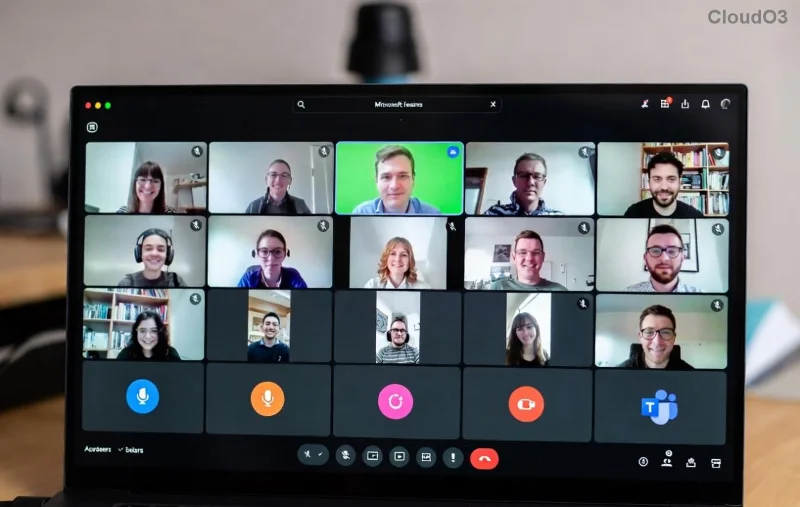
Microsoft Teams Website Error tab screenshot

Spot this red error banner in your tab? It's a clear sign the embedded website can't load. Don't panicβ€”follow our proven steps below.

Quick Fixes to Try First (Under 2 Minutes) ⭐

Start here for 80% of cases. These no-fuss steps often resolve Teams website error instantly:

  1. πŸ‘‰ Refresh the Tab: Right-click the tab > Refresh, or hit F5. Simple, but effective!
  2. πŸ”„ Clear Teams Cache:
    • Quit Teams completely (use Task Manager on Windows).
    • Delete cache: %appdata%\Microsoft\Teams on Windows, ~/Library/Application Support/Microsoft/Teams on Mac.
    • Restart Teams.
  3. 🌐 Check Your Internet: Switch networks or disable VPN/proxy. Test the site directly in a browser.

Pro Tip: If using the web version of Teams, switch to the desktop appβ€”many report fewer tab not loading issues there.

Step-by-Step Troubleshooting Guide for Stubborn Errors

Still stuck? Roll up your sleeves for this comprehensive walkthrough on solving Microsoft Teams "Website Error" tab not loading. We've prioritized steps by success rate.

Step 1: Update Teams to the Latest Version

Outdated apps cause compatibility hiccups. Check for updates via your profile icon > Check for updates. Restart after installing.

Step 2: Disable Browser Extensions & Add-ons

Extensions like ad-blockers interfere with embedded sites. In Edge/Chrome (Teams' default engine):

  1. Open Teams in browser mode.
  2. Go to Extensions > Disable all > Reload tab.

Step 3: Re-Add the Website Tab

The tab config might be corrupted:

  1. Remove the tab (three dots > Remove).
  2. Add new: + icon > Website > Paste URL > Save.
  3. Ensure the URL uses HTTPS and is publicly accessible.
Fixing Microsoft Teams tab by re-adding website

Step 4: Advanced Network & Permissions Check

Issue Solution Expected Outcome
Firewall/VPN Block Whitelist teams.microsoft.com and the tab URL in firewall settings. Tabs load without proxy errors.
CORS/HTTPS Mismatch Use only HTTPS URLs; contact site admin if needed. No security warnings.
Admin Restrictions Check Teams admin center for app policies (Teams Admin Center). Full tab functionality restored.
Mobile App Glitch Force close app, clear app cache via device settings, reinstall. Smooth loading on iOS/Android.

Step 5: Reset Teams Completely

Last resort: Uninstall/reinstall Teams from official site. Backup chats first via export.

Prevent Future "Website Error" Tabs in Teams

Lock in reliability with these habits:

  • βœ… Update Teams weeklyβ€”enable auto-updates.
  • ⭐ Use supported browsers (Edge, Chrome latest).
  • πŸ”’ Stick to secure HTTPS sites for tabs.
  • πŸ“‘ Monitor network stability with tools like Speedtest.

Bonus: For IT admins, review policies in the Microsoft Teams documentation to pre-empt issues.

Ready to Team Up Without Errors? πŸŽ‰

Congratsβ€”you're now equipped to conquer Microsoft Teams "Website Error" tab not loading for good! Most users fix it in minutes with the quick fixes above. If problems persist, drop a comment below or reach Microsoft Support via the app. Your smooth workflow awaitsβ€”what's your go-to Teams hack? Share and keep the collaboration flowing! πŸ‘


Leave a Comment

Fix Microsoft Teams Error on Phone on iOS & Android: Quick Troubleshooting Guide 2026

Fix Microsoft Teams Error on Phone on iOS & Android: Quick Troubleshooting Guide 2026

Struggling with Microsoft Teams "Error on Phone" on iOS or Android? Follow this step-by-step troubleshooting guide for instant fixes, common causes, and pro tips to get back to seamless calling. Updated with the latest solutions!

Fix Microsoft Teams Website Error Tab Not Loading: Proven Solutions That Work Instantly

Fix Microsoft Teams Website Error Tab Not Loading: Proven Solutions That Work Instantly

Struggling with Microsoft Teams "Website Error" tab not loading? Discover step-by-step fixes for this common issue, from quick cache clears to advanced troubleshooting. Get your tabs working smoothly today!

Microsoft Teams Download Stuck on PC? Quick Fixes to Get You Back Online Fast!

Microsoft Teams Download Stuck on PC? Quick Fixes to Get You Back Online Fast!

Facing Microsoft Teams download for PC not working? Discover proven troubleshooting steps, from simple checks to advanced fixes, to resolve download errors and install Teams smoothly on Windows.

πŸ”§ Fix Microsoft Teams Network Error: Check Your Connection Gone in Minutes!

πŸ”§ Fix Microsoft Teams Network Error: Check Your Connection Gone in Minutes!

Tired of the frustrating Microsoft Teams network error 'Check Your Connection'? Discover proven, step-by-step fixes to restore seamless video calls and chats. Works on Windows, Mac, and mobile – no tech skills needed!

πŸš€ Fix Microsoft Teams Call Failed Error in 2026: Instant Solutions That Actually Work!

πŸš€ Fix Microsoft Teams Call Failed Error in 2026: Instant Solutions That Actually Work!

Tired of Microsoft Teams "Call Failed" errors ruining your meetings? Get proven, up-to-date 2026 fixes – from quick checks to advanced troubleshooting. Restore crystal-clear calls in minutes!

πŸš€ Fix Microsoft Teams User Not Authorized Error in 5 Minutes – Proven Steps!

πŸš€ Fix Microsoft Teams User Not Authorized Error in 5 Minutes – Proven Steps!

Struggling with Microsoft Teams "User Not Authorized" error? Discover proven, step-by-step fixes to resolve it quickly. Clear cache, check permissions, and get back to collaborating seamlessly. Updated for the latest Teams versions.

πŸ”§ Fix Microsoft Teams VDI Errors on Virtual Machines FAST: Proven Steps for Smooth Calls!

πŸ”§ Fix Microsoft Teams VDI Errors on Virtual Machines FAST: Proven Steps for Smooth Calls!

Tired of Microsoft Teams VDI errors crashing your virtual machine meetings? Follow this ultimate guide with step-by-step fixes for audio, video, and optimization issues. Get Teams running perfectly on VDI now!

πŸš€ Fix Microsoft Teams For Business Error in Seconds: Ultimate 2026 Guide

πŸš€ Fix Microsoft Teams For Business Error in Seconds: Ultimate 2026 Guide

Tired of the frustrating Microsoft Teams "For Business" Error blocking your work? Get proven, step-by-step fixes to resolve it fast and restore seamless team collaboration. No tech skills needed!

πŸš€ Quick & Easy: How to Change Your Microsoft Teams Profile Picture on iPhone & Android (2026 Update)

πŸš€ Quick & Easy: How to Change Your Microsoft Teams Profile Picture on iPhone & Android (2026 Update)

Master how to change your Microsoft Teams profile picture on iPhone and Android with simple, step-by-step guides. Update your avatar effortlessly for a professional look in the latest Teams app!

πŸš€ Instant Fix: How to Fix Microsoft Teams Remove Account Error in 5 Minutes!

πŸš€ Instant Fix: How to Fix Microsoft Teams Remove Account Error in 5 Minutes!

Frustrated by the Microsoft Teams "Remove Account" Error? Follow our proven, step-by-step guide to resolve it quickly. Clear cache, reset Teams, and regain controlβ€”no tech skills needed!