Where Does Microsoft Teams Store Recordings? 2026 Ultimate Location Guide – Find Them Instantly!

Ever finished a crucial Microsoft Teams meeting, hit record, and then wondered, "Where does Microsoft Teams store recordings?" 😩 You're not alone! In 2026, with Teams' cloud-powered ecosystem, recordings are safely tucked away in Microsoft's secure storage. This guide cuts through the confusion, revealing exact Microsoft Teams recordings locations in OneDrive and SharePoint. Stick around – we'll show you how to find, access, and manage them like a pro. 🚀
<strong>Microsoft Teams Recordings</strong> stored in OneDrive and SharePoint

🔍 Core Truth: Microsoft Teams Recordings Live in the Cloud (Not Your Local Drive)

Good news: Microsoft Teams doesn't clutter your hard drive. All recordings auto-upload to the cloud for instant sharing and collaboration. Here's the breakdown:

  • ✅ Personal or Group Meetings: Stored in the meeting organizer's OneDrive for Business.
  • ✅ Channel Meetings: Saved to the team's SharePoint site (Files tab).

This setup ensures recordings are accessible across devices. No more "where'd it go?" panic!

📍 Exact Microsoft Teams Recordings Locations – Step-by-Step

Ready to hunt? Follow these paths in 2026's latest Teams interface.

1️⃣ For Personal/Group Meeting Recordings: OneDrive Magic

The organizer's OneDrive holds the gold. Path: OneDrive > Recordings folder.

  1. Open Microsoft Teams app or web.
  2. Go to Chat > Select the meeting chat.
  3. Click Recordings & transcripts tab. 🎥
  4. Hit More options (⋯) > Open in OneDrive.

Direct link: https://yourorg-my.sharepoint.com/personal/[user]_yourorg_com/Documents/Recordings

2️⃣ For Channel Meetings: SharePoint Team Site

These land in the team's SharePoint document library.

  1. In Teams, navigate to the channel.
  2. Select Files tab > Recordings folder.
  3. Or: Team site URL > Documents > Recordings.
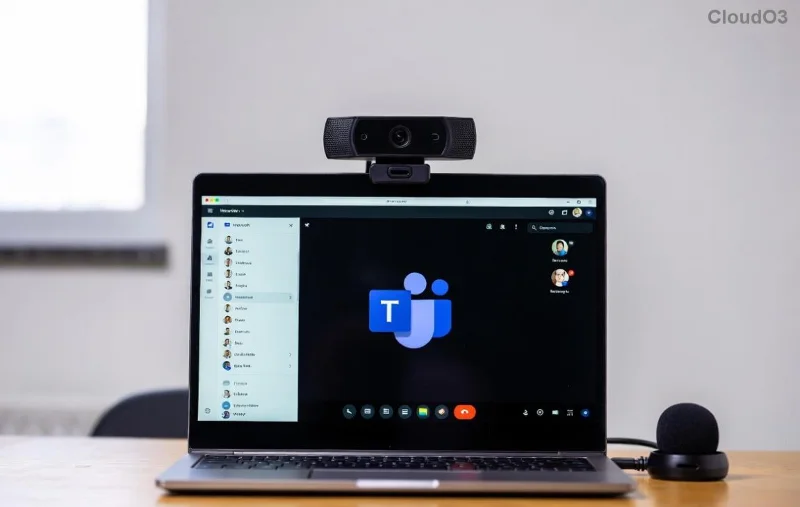
Navigating <strong>SharePoint Teams Recordings</strong> folder in Microsoft Teams
Meeting Type Storage Location Access Path Permissions
Personal/Group OneDrive for Business Chat > Recordings tab > OneDrive Organizer + shared participants
Channel SharePoint (Team site) Channel > Files > Recordings Team members

Pro tip: Recordings expire after 60-120 days by default (admin-settable). Check your org's policy! 👆

🛠️ Accessing Teams Recordings Anywhere in 2026

Teams syncs seamlessly:

  • Teams App: Instant playback in-chat.
  • OneDrive/SharePoint: Download, share, or embed.
  • Teams Mobile: On-the-go access via app.
  • Browser: Log into office.com > OneDrive or SharePoint.

Want transcripts? They're bundled with recordings – AI-powered magic in 2026! ✨
Accessing <strong>Microsoft Teams Recordings</strong> on OneDrive interface

⚠️ Troubleshooting: Can't Find Your Teams Recording?

Stuck? Common fixes:

  1. Check Permissions: Only organizers/attendees with links see it.
  2. Search Teams: Use global search for "recordings."
  3. Admin View: IT admins check Teams Admin Center.
  4. Expired?: Auto-delete after retention period.
  5. Storage Full?: Clear OneDrive space.

For official details, see Microsoft's guide: Teams Recording Policies. Reliable as ever! 👍

💡 Pro Tips to Master Microsoft Teams Recordings in 2026

  • Share Easily: Copy OneDrive/SharePoint link – no downloads needed.
  • Download for Offline: Right-click > Download (MP4 format).
  • Edit Transcripts: Correct AI text in the viewer.
  • Backup Strategy: Move to personal OneDrive post-expiry.
  • Privacy First: Recordings capture video/audio – inform participants!

🎉 Wrap-Up: Your Recordings Are Safer Than Ever

Now you know precisely where Microsoft Teams stores recordings: OneDrive for personal wins, SharePoint for teams. With these steps, you'll access them lightning-fast. Bookmark this 2026 guide, test it on your next meeting, and share with your team. Got questions? Drop them below – happy recording! 👏

Streamline your workflow today. What's your biggest Teams challenge?



Leave a Comment

🚀 Fix Microsoft Teams Meeting ID Not Found Error Instantly – Proven 2026 Solutions!

🚀 Fix Microsoft Teams Meeting ID Not Found Error Instantly – Proven 2026 Solutions!

Can't join your Microsoft Teams meeting? Solve the frustrating 'Meeting ID Not Found' error with our step-by-step guide. Quick fixes for Microsoft Teams joining issues that work every time.

🚀 Fix Microsoft Teams Error 2604: Network Timeout Gone in Minutes – Proven 2026 Guide

🚀 Fix Microsoft Teams Error 2604: Network Timeout Gone in Minutes – Proven 2026 Guide

Tired of Microsoft Teams Error 2604 crashing your meetings? Get instant network timeout fixes with this step-by-step troubleshooting guide. Clear cache, optimize network, and restore seamless Teams performance today!

Unlock Microsoft Teams Registry Keys on Windows 11: Exact Locations Revealed! 🚀

Unlock Microsoft Teams Registry Keys on Windows 11: Exact Locations Revealed! 🚀

Discover the precise locations of Microsoft Teams registry keys on Windows 11. Step-by-step guide to access, edit safely, and optimize your Teams experience with essential tips and warnings. Perfect for IT pros and power users!

🚀 Fix Microsoft Teams MS Team Error 2026 in Minutes – Ultimate 2026 Guide!

🚀 Fix Microsoft Teams MS Team Error 2026 in Minutes – Ultimate 2026 Guide!

Tired of Microsoft Teams "MS Team Error 2026" crashing your meetings? Follow our proven, step-by-step fixes to resolve Microsoft Teams error 2026 instantly and boost productivity. Updated for the latest 2026 patches.

Microsoft Teams vs Zoom: Ultimate Webinar Showdown – Which Wins in 2026?

Microsoft Teams vs Zoom: Ultimate Webinar Showdown – Which Wins in 2026?

Dive into Microsoft Teams vs Zoom for webinars: compare capacity, integrations, security, polls, and pricing. Find the best platform with our detailed feature breakdown and pro tips.

🚀 Fix Microsoft Teams Unexpected Error on Startup: Ultimate 2026 Guide

🚀 Fix Microsoft Teams Unexpected Error on Startup: Ultimate 2026 Guide

Tired of the frustrating Microsoft Teams "Unexpected Error" on startup? Get instant fixes with our step-by-step guide. Clear cache, reset app, reinstall & more for seamless teamwork. Works on Windows, Mac & web.

🚀 Fix Microsoft Teams Task Management Sync Errors in Minutes: Ultimate 2026 Guide

🚀 Fix Microsoft Teams Task Management Sync Errors in Minutes: Ultimate 2026 Guide

Tired of Microsoft Teams task management sync errors disrupting your workflow? Follow our step-by-step guide with proven fixes for sync issues, cache clears, and more to restore seamless task syncing instantly.

🚀 Fix Microsoft Teams Error Today in Minutes: Essential Troubleshooting Checklist

🚀 Fix Microsoft Teams Error Today in Minutes: Essential Troubleshooting Checklist

Struggling with Microsoft Teams "Error Today"? Discover the top first checks for troubleshooting Microsoft Teams issues. Quick fixes for connectivity, cache, updates, and more to get you back online fast.

🚀 2026 Ultimate Fix: Break Free from Microsoft Teams Error Reporting Loop in Minutes!

🚀 2026 Ultimate Fix: Break Free from Microsoft Teams Error Reporting Loop in Minutes!

Stuck in the endless Microsoft Teams "Error Reporting" Loop? Discover the proven 2026 fix with step-by-step solutions to restore seamless collaboration. Clear cache, reset, and more—no tech skills needed!

🚀 Fix Microsoft Teams Image Error in Chat: Quick & Proven Troubleshooting Guide

🚀 Fix Microsoft Teams Image Error in Chat: Quick & Proven Troubleshooting Guide

Tired of Microsoft Teams image error in chat ruining your conversations? Discover step-by-step fixes for image not loading issues, from cache clears to advanced tweaks. Get seamless chats back in minutes!







